 madcompany
Comments, sketches and reviews
Once there are screens, most changes start as you clicking around them. A comment might be about how something looks, how a flow works, or what a feature does, and each of those reaches a different part of the plan. madcompany knows which stories each screen shows, so every comment lands on the right ones. When you leave several at once, the team plans them together and you approve one plan.
Screens know their stories
The team records each screen of the app with mc_screen: its route (/tasks/:id), the stories and UX requirements it implements, and its mockups. UI tickets name the screen they build. A comment on /tasks lands on the Task list screen, and the lead sees which stories it touches before deciding anything.
Comment anywhere
- In your running app. The Comment button (the widget, loaded in development) lets you click any element and say what should change.
- In HQ → Preview. Comment and Sketch above the app.
- On a mockup. Click the spot you mean on a mockup image (a numbered pin marks it), or pick an element on an HTML mockup. Mockups stay sandboxed: the picker only tells HQ which element you clicked.
- From elsewhere. A comment you made in chat or on a Claude artifact still counts: the lead files it with
mc_comment, with where it came from.
We use our own comment UI rather than Claude artifacts: your prototype is the real app running on your machine, every comment has to reach HQ's log to be traced, and it works without a claude.ai account.
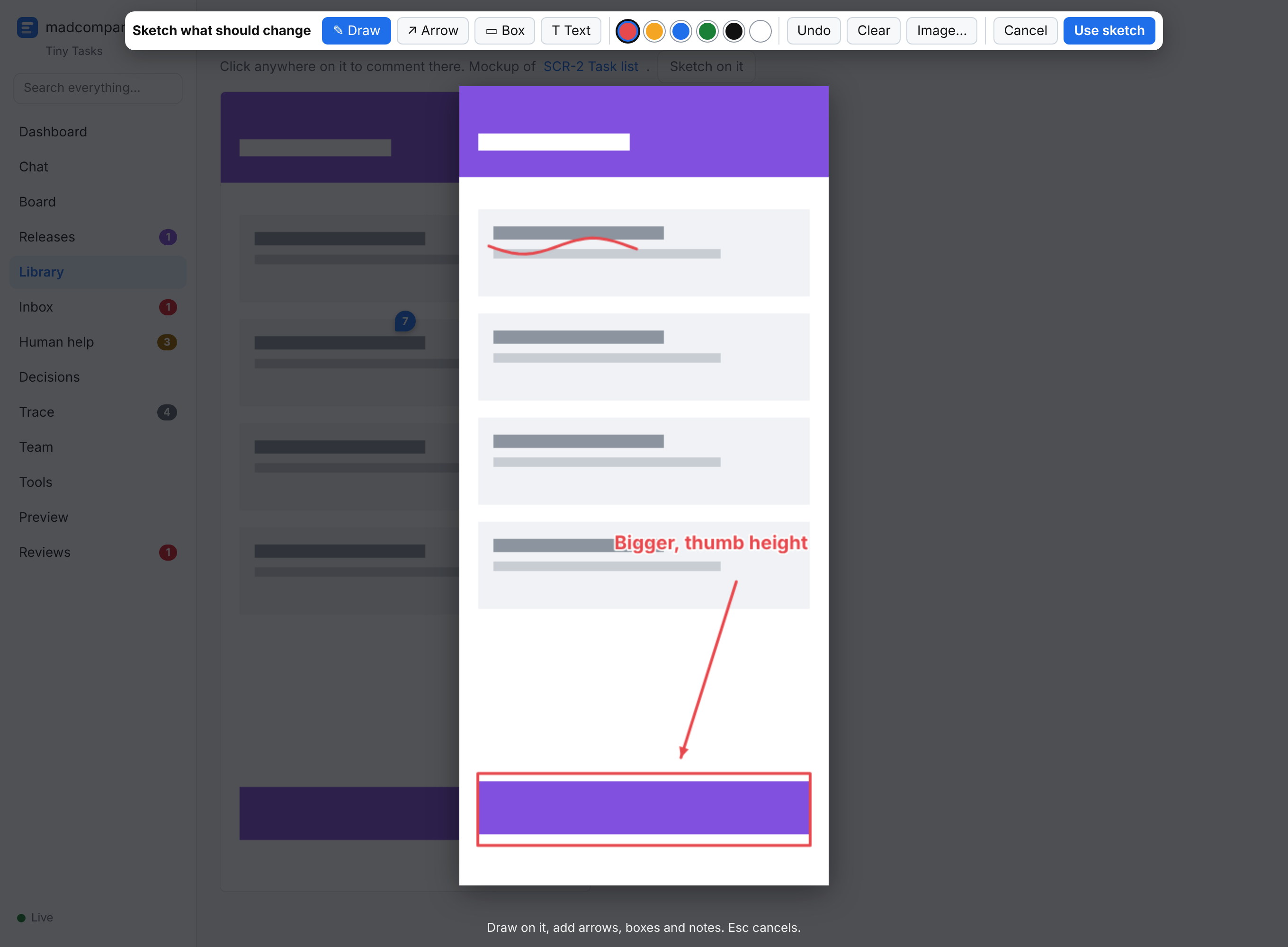
Sketch what you mean
Sketch captures the screen (your browser asks to share the tab), or starts from a mockup, a pasted screenshot or a blank page. Draw, add arrows, boxes and text. The sketch is saved with the comment; the lead sees it when planning, and the agent who picks up the comment is told to open it before starting.
Look, flow or feature
The lead classifies every comment:
| Kind | What it is | What it reaches |
|---|---|---|
| Look (element) | Size, spacing, colour, wording on one screen | That screen, the tickets that built it, its mockups. Nothing agreed changes. |
| Flow (UX) | Steps, navigation, what happens when you tap | Rewrites a UX requirement or story; reaches every screen implementing it, their tickets and mockups |
| Feature (story) | New or different behaviour | Amends or extends a story or requirement; reaches its tickets, the API contract and the stories covering it |
Nobody starts a comment before it's classified.
Send now, or add to a review
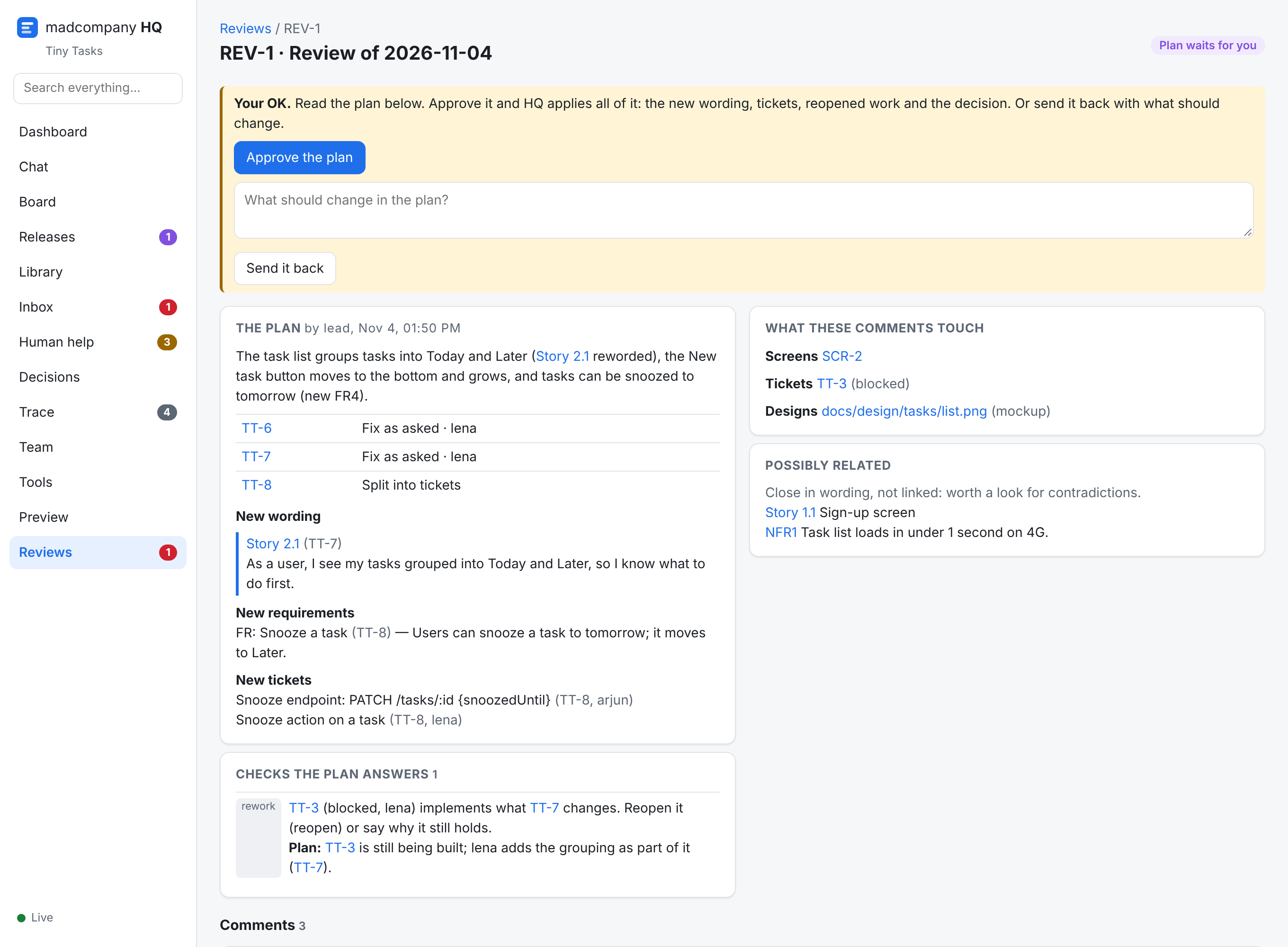
Send now and the lead handles it at once. Add to review and it waits with your other comments; nothing starts. When you Submit for a plan, the lead runs /mc-review-feedback and proposes one plan:
- what each comment becomes: fixed, split into tickets, merged with another, or not done (and why)
- the new wording of every story and requirement it changes
- new tickets, and built tickets that must be reopened
- an answer to every conflict HQ finds: two comments changing the same story or the same element, another change to the same requirement, open conflicts, decisions and your earlier answers about what changes, built work, agreed API contracts
HQ won't accept a plan that leaves any of that out. You read it in HQ → Reviews and Approve the plan, and HQ applies all of it: the wording, the tickets, the reopenings, and a decision recording your OK. Or Send it back with what should change. A comment you need handled right away can be taken out of the review (Handle now).