 madcompany
An AI software company inside your own Claude Code session
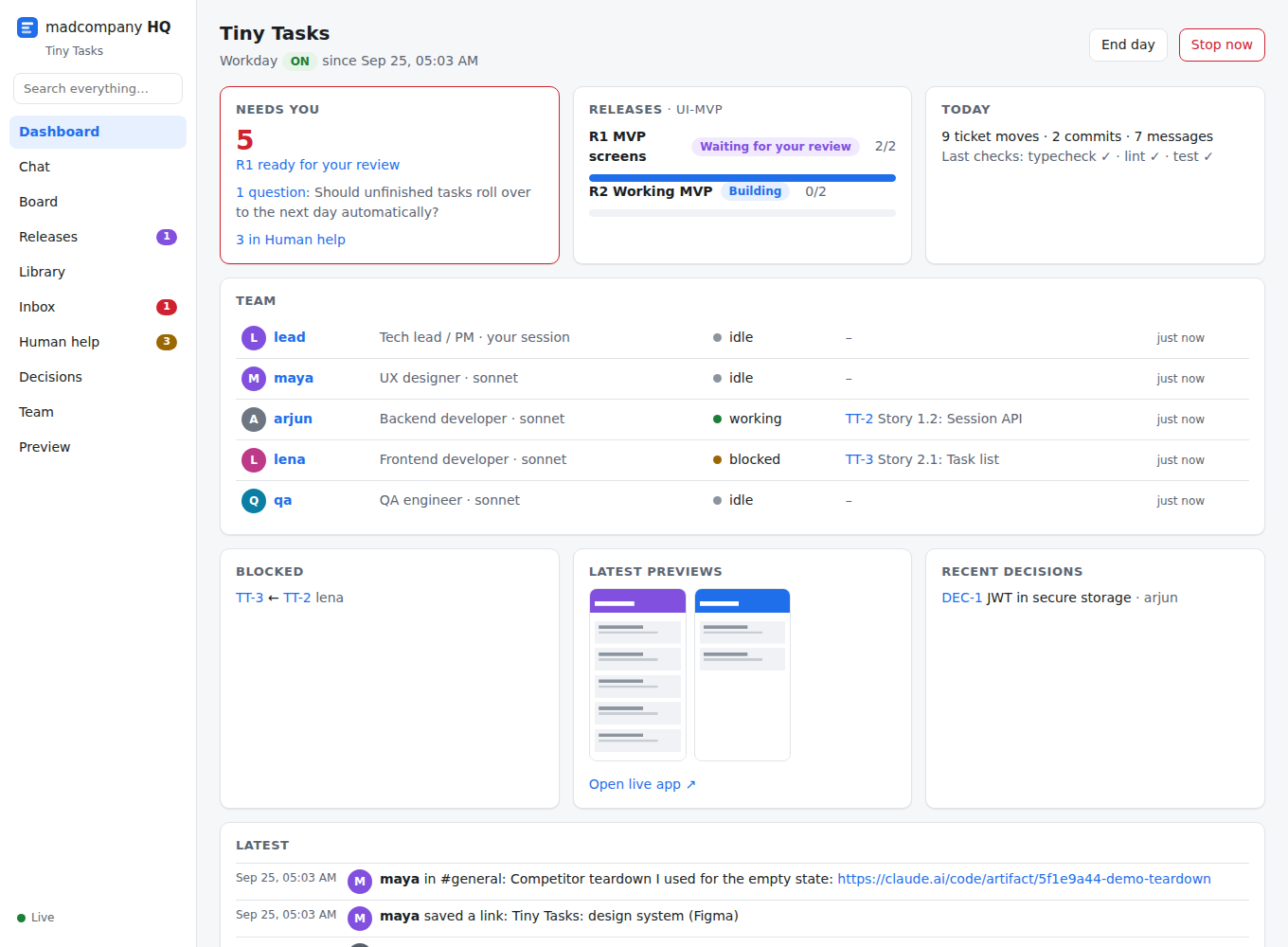
A team of agents with roles, memory and a model you choose builds your app in parallel: screens first, release by release. You follow every message, ticket and decision in HQ, a local app. You only step in where a person has to.
Why
BMad Method plans well. Building one story at a time does not: create a story, develop it, review it, then the next one. That took about two weeks per epic, and the app couldn't be seen until late. madcompany replaces that loop with a team:
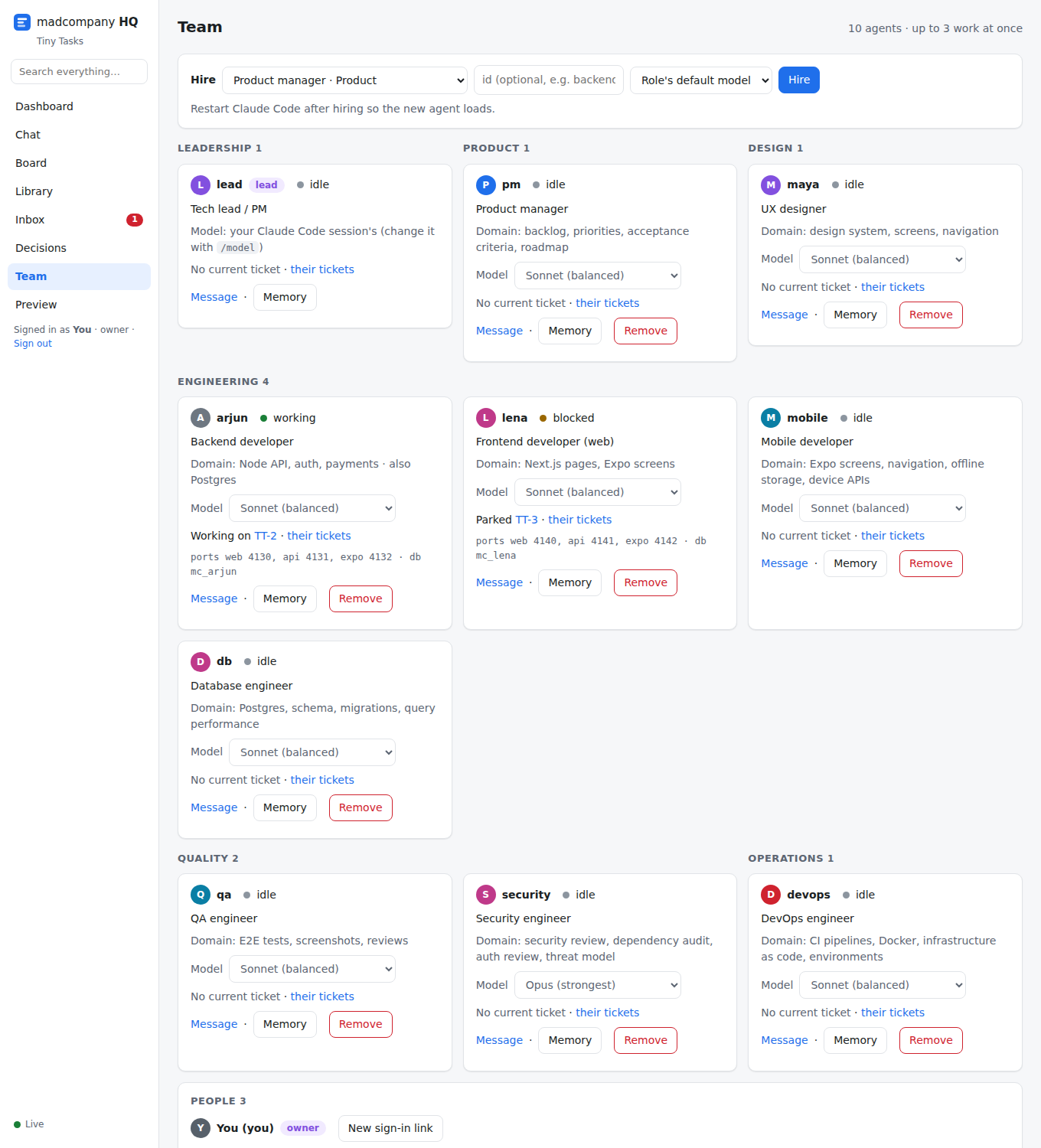
- Parallel work. Agents with roles (backend, web, mobile, QA, security…) take tickets in their own domain, each in its own git worktree, with its own ports and database.
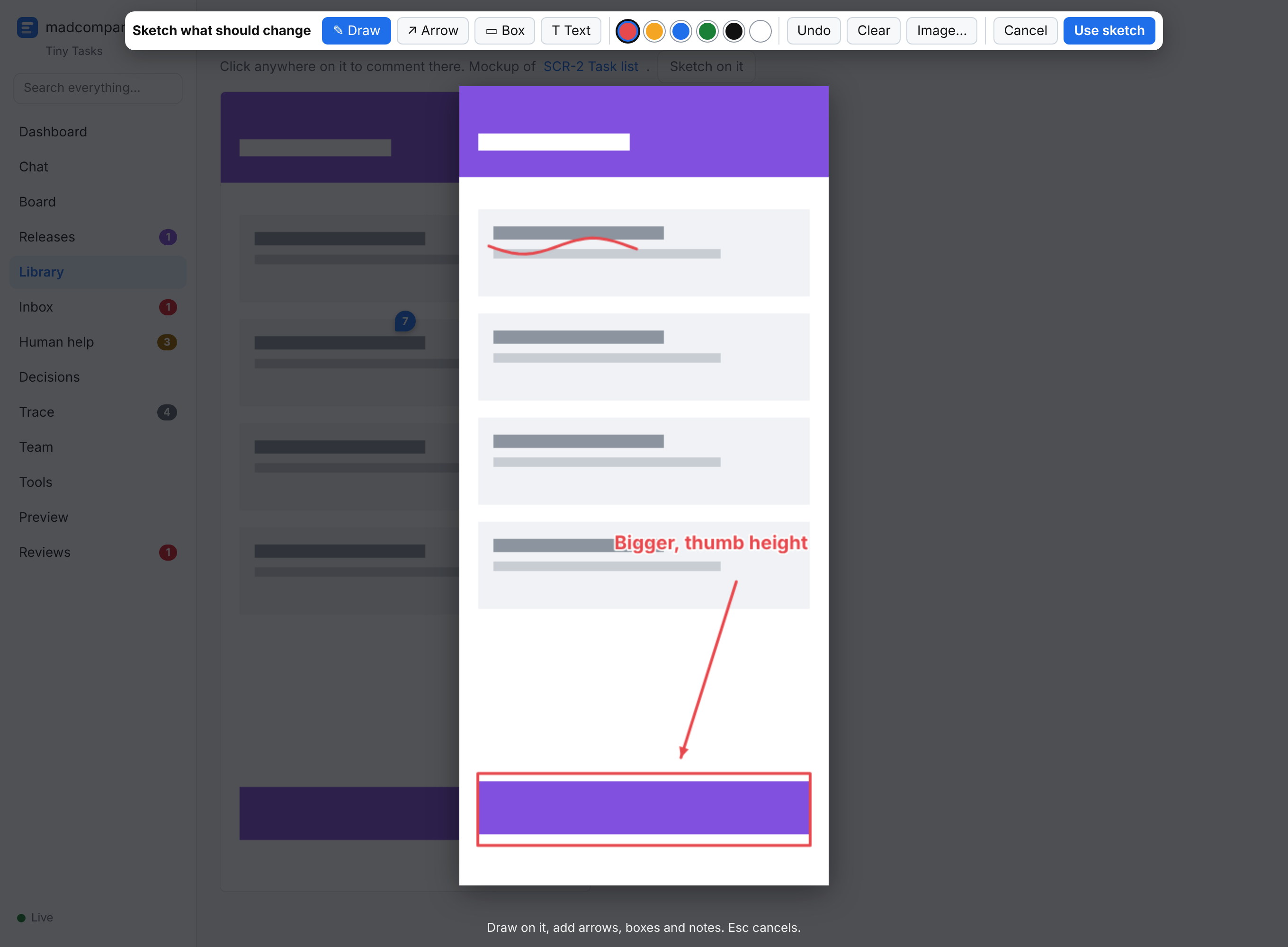
- You see it early, and change it by pointing at it. Screens come first, on mock data. You click through them in HQ's Preview, comment on any element or mockup, or sketch what you mean right on the screen. Every comment lands on the stories its screen implements.
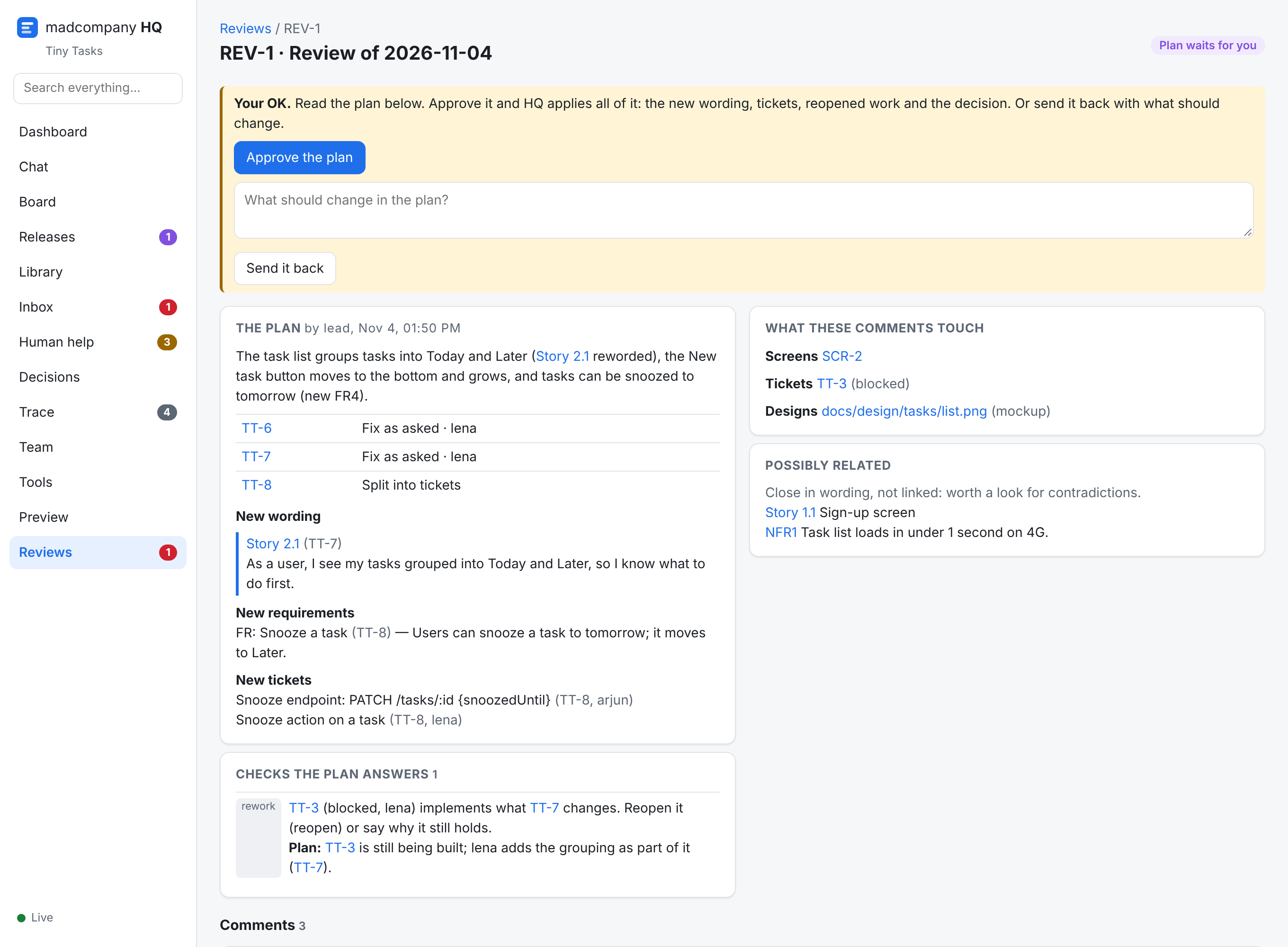
- One plan for a batch of changes. Send a comment now, or gather several in a review. The team plans them together, answers every conflict with what's already agreed, and you approve one plan: Comments & reviews.
- You're asked only what's yours. Questions reach you as one line with options and a recommendation. Your answers are saved, so nobody asks twice.
- Everything is clickable. FR12, Story 1.2, APP-42, DEC-7, HELP-3: click any of them and HQ opens the exact line.
- Nothing is lost. Every message, decision, ticket move and commit is logged, with checkpoints so blocked work resumes exactly where it stopped.
Five ways to build
Pick one per project. Four of them deliver release by release: something you can see or use at the end of each one. Spec-driven delivers epic by epic.
UI-driven
Apps where the screens are the product: consumer and business apps, dashboards, mobile apps.
First release: Clickable prototype
init --mode uiRelease by releaseMVP-driven
Products without much UI (APIs, CLIs, bots, data pipelines, agents), or when you want the smallest working thing first.
First release: MVP
init --mode mvpRelease by releaseUI-MVP
Most new apps: a real, usable first version with a designed UI, as early as possible.
First release: MVP screens
init --mode ui-mvpRelease by releaseBrownfield
An existing codebase: new features, fixes and refactors on an app that already runs.
First release: Onboarding
init --mode brownfieldEpic by epicSpec-driven
Large or regulated products where the requirements are written down first and traceability matters.
Delivers: one epic at a time, approved at its demo
init --mode specWhere you come in
You
- Plan: the brief, the MVP scope or the spec (with BMad, or just by talking to the lead)
- Sign off screens in a UI sprint: comment on them and on mockups, sketch what you mean, approve one plan per review
- Answer the few questions that reach your Inbox
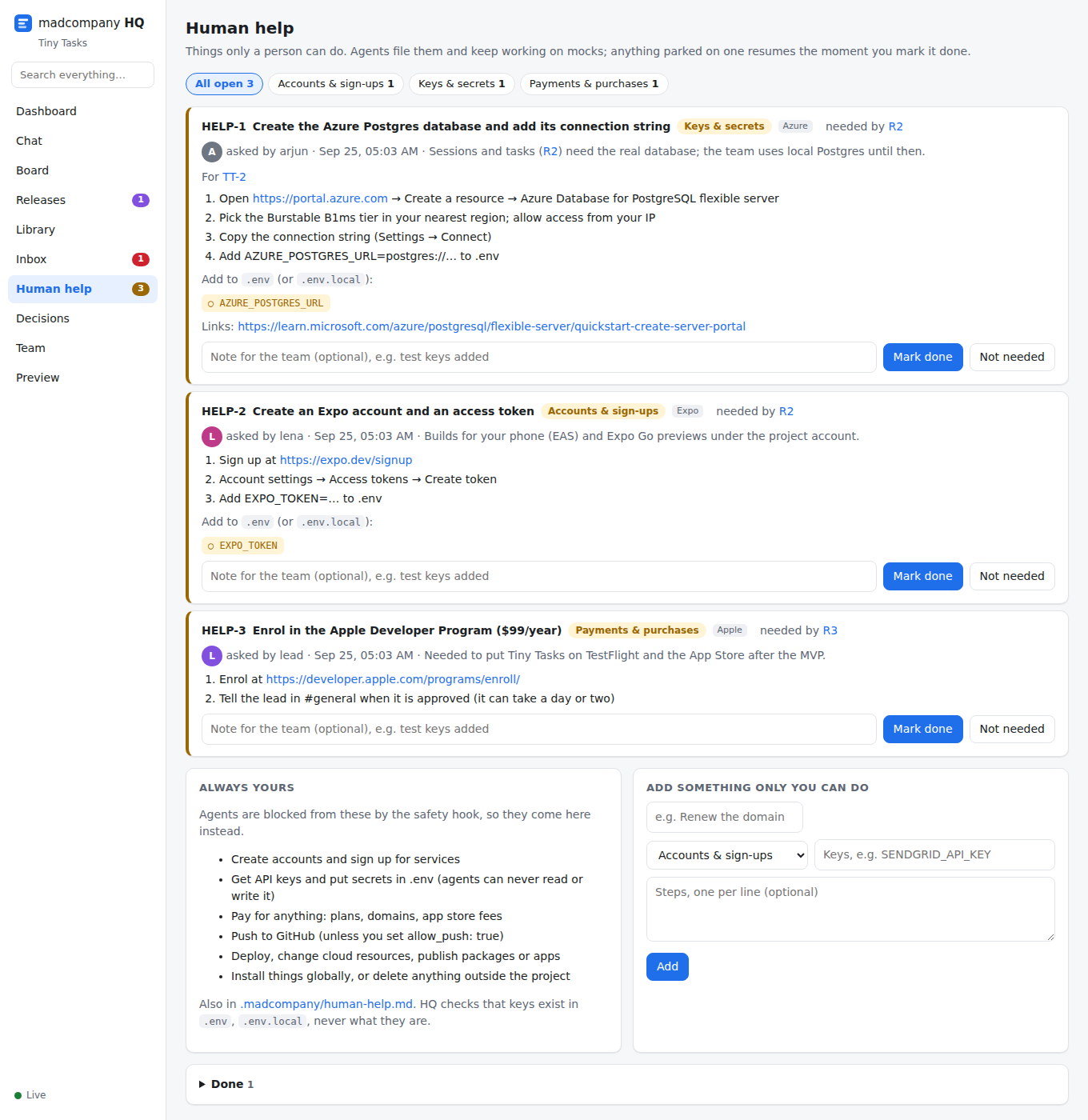
- Do what only a person can, listed in Human help: accounts, API keys, payments, pushes and deploys
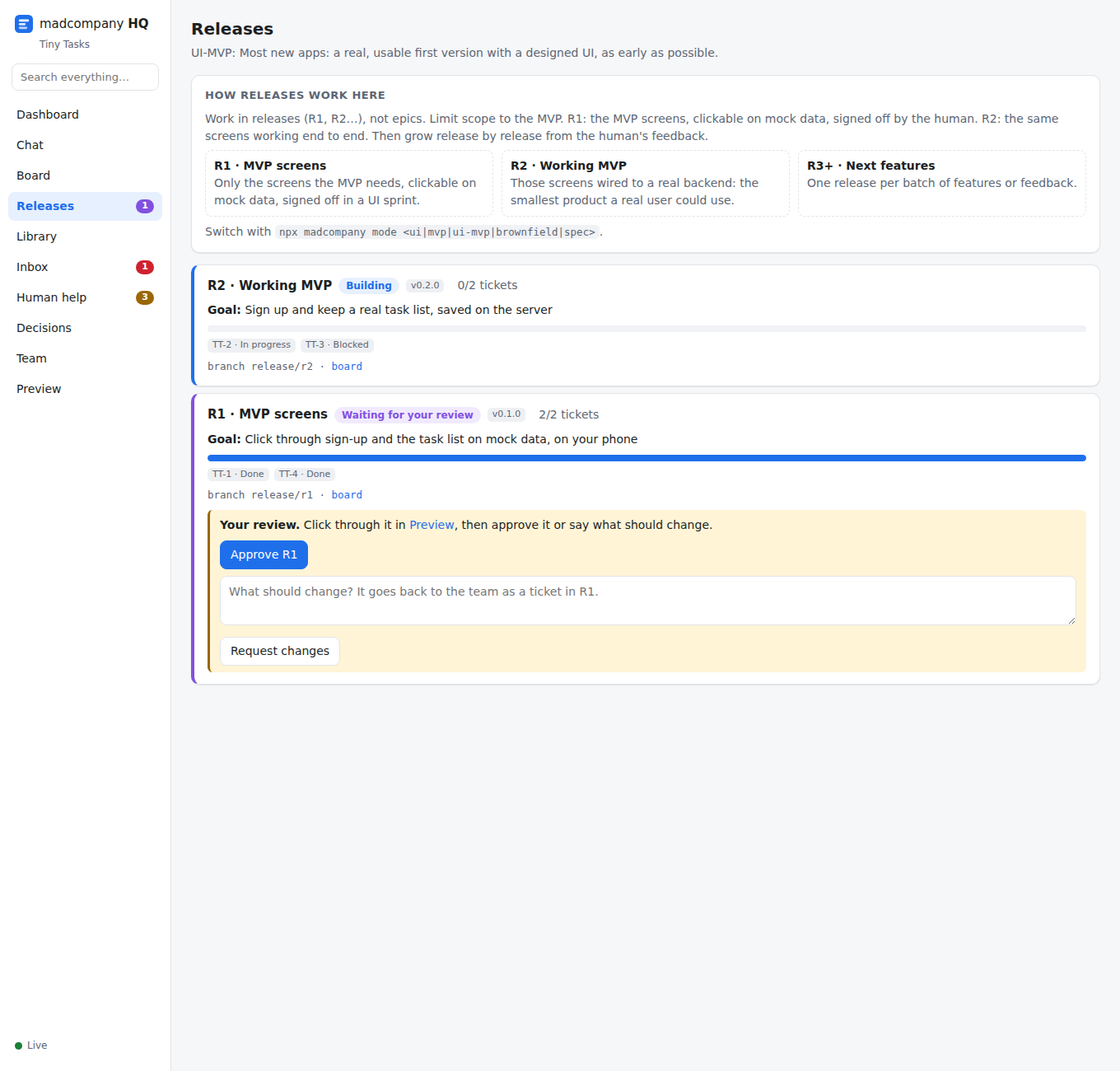
- Review each release in HQ → Releases: approve it or ask for changes
The team
- Splits the release into tickets, one domain each
- Designs before coding: API contracts, schemas, module sketches
- Builds on mocks until your keys arrive
- Reviews every ticket (never by its author) and runs the checks
- Merges through a queue that re-runs the checks, and reverts anything that breaks
- Logs every decision it makes without you
- Traces every ticket, decision and message to a requirement, and maps each change request to what it amends: Traceability
- Sorts your comments into look, flow and feature changes, and plans each review as one: the new wording, the tickets to add or reopen, and an answer to every conflict
HQ
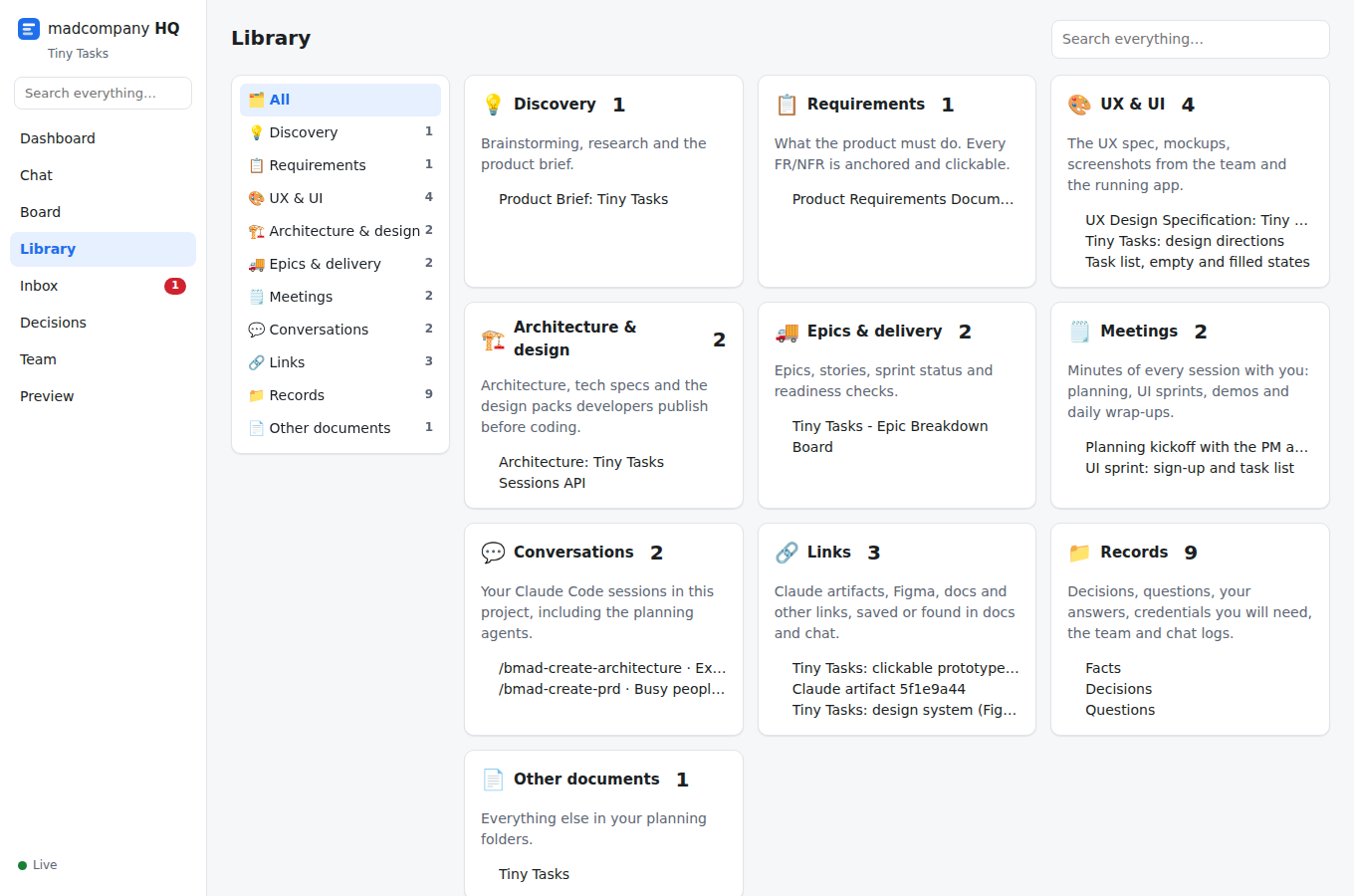
One local app for everything: Dashboard, Chat, Board, Releases, Library, Inbox, Human help, Decisions, Trace, Team, Tools, Preview, Reviews, plus search.
Quick start
Needs Node 20+, git and Claude Code. macOS and Linux; Windows through WSL.
# in your app's repo
npx madcompany init --mode ui-mvp   # or ui, mvp, brownfield, spec
npx madcompany hq                   # keep it running; open http://127.0.0.1:4317
npx madcompany mode                 # prints the steps for your mode
claude                              # accept the trust prompt once, then follow the steps
Or install it as a BMad module: npx bmad-method install --custom-source https://github.com/lokkrish/madcompany --tools claude-code, then run /mc-setup.
Just looking? npx madcompany demo my-demo && cd my-demo && npx madcompany hq builds a sample project mid-way through a UI-MVP build.
Runs on your plan, on your machine
- The team runs inside your own Claude Code session, on its login. madcompany never touches your credentials.
- You choose each agent's model (Opus, Sonnet, Haiku…).
max_parallelcaps how many work at once, because they share your plan's usage limits. On most plans 3 to 6 at a time is realistic. - A workday you start and end: End day makes everyone hand off; Stop now halts every agent at its next action. Tomorrow,
/mc-startpicks up from the handoffs. - A safety hook blocks pushes, deploys, cloud changes, publishing, global installs and
.envsecrets, through the shell or an MCP server. Those come to you in Human help. - The MCP servers and plugins you've added to Claude Code are the team's tools too, each role with its own.
Honest limits
- Agents' memory is files they re-read, not real recall.
- Autonomous work isn't automatically correct. The gates reduce rework; they don't remove it.
- Your plan's usage limits cap how much runs in parallel.
- Claude.ai web-chat artifacts aren't visible to madcompany; ones published from Claude Code sessions are captured automatically. Comments you leave on an artifact reach the team when the lead files them (
mc_comment). - Sketching from a screen capture needs a desktop browser that can share a tab. On a phone, paste a screenshot or draw on a blank page.